


I recently noticed on some of the office laptops that the notification taskbar icons were missing. It looked like there was something, but when I clicked on it nothing happened; it was an empty space. I restarted the machine and even restarted the explorer.exe service within the task manager and no luck. The only way to fix the issue was to do “hard reset” on the notification taskbar icons. Here are the steps:
Step 1: This is the issue that we are facing. Missing icons within the notification area. What’s the deal?


Step 2: Open up the run dialog box:


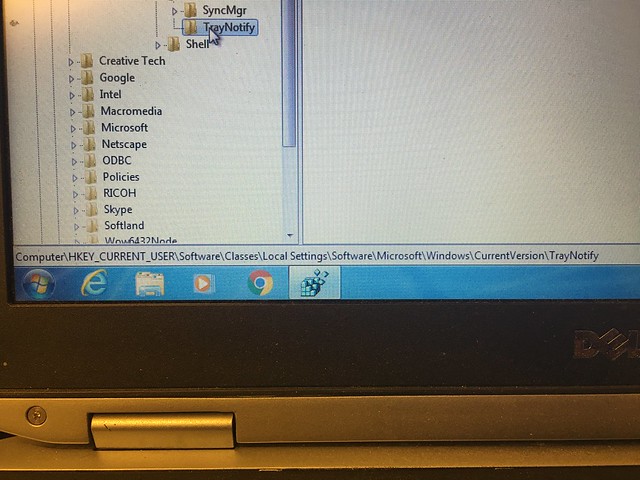


Step 11: You will type in the explorer.exe and click on “ok”


